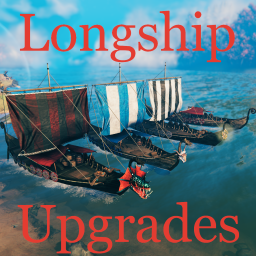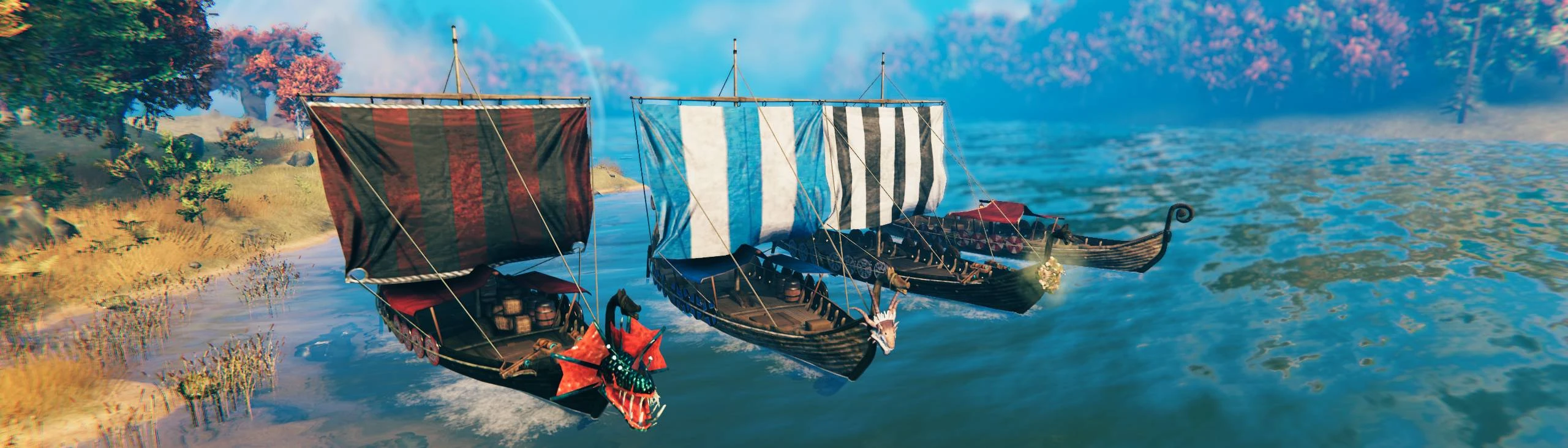
Ever wanted your most used through the game ship to be even more useful? And not just useful but also cozy and deadly.
This mod is fully compatible with vanilla Longship. You won't lose it after disabling the mod. Even extra storage update will stay.
Every mentioned upgrade is highly customizable.
Upgrade materials spend will use craft from containers feature if it is implemented correctly.
By default every upgrade demands different crafting station and its levels. But default check range is 100 so you doesn't need to park you ship in your forge.
After ship destruction any spent materials or turrets' ammo as well as ship cargo will be safely floating in the boxes. You won't lose anything under water.
Every upgradeable part has its own requirements in materials, station type and station level. All of this is configurable.
If you don't know required station or station level you will have "Unknown upgrade" hover text.
If you don't know some material from requirements list it will appear as "Unknown item" along other known items.
To upgrade a specific part you have to find its spot. All spots are tied to its upgradeable parts.
If you place boss trophy (hey Moder) you will be able to use its forsaken power instead of your current one. It will not override your current power.
If your power is on cooldown you can't use ship's one.
After usage your power will go on the same cooldown.
Used power will no be shared on nearby players, it's always personal.
So its main goal is to extend variability of powers available on your journey. Most likely it will be Moder power useful on a ship only.
On the first launch mod will create ...\BepInEx\config\shudnal.LongshipUpgrades directory with subdirectories sails, shields and tents. There will also be _original.png variants of that textures taken from the game to use as a reference for new textures.
Then all you need is to place your custom texture in corresponding folder and it will be loaded automatically on the next game launch.
This files have to be shared between clients manually or via a modpack. If some client won't have all the variants nothing will break but amount of available styles for that client will be limited.
Order of applied styles depends on file order in the directory. The files are ordered by name using simple string order algorithm.
It means it will look like:
to make it ordered as you need you should name files like:
The mod comes with some built-in textures variants.
You can get good looking sails from JK - Lore Friendly Sails.
And more stylish shields from More Round Shield Paints.
As easy as that you can just copy paste png files into corresponging folders as is. Now you have fancy sails and shields.
But no tent sorry. If anyone will ever share their custom tent textures I will happily include it into the mod.
Copy
from More Round Shield Paints archive to ...\BepInEx\config\shudnal.LongshipUpgrades\shields
Copy every sail png you like from JK - Lore Friendly Sails archive to ...\BepInEx\config\shudnal.LongshipUpgrades\sails.
You will need to rename the files you copy because all of them has the same name.
Voila.
To add your own localization create a file with the name Longship Upgrades.LanguageName.yml or Longship Upgrades.LanguageName.json anywhere inside of the Bepinex folder. For example, to add a French translation you could create a Longship Upgrades.French.yml file inside of the config folder and add French translations there.
Localization file will be loaded on the next game launch or on the next language change.
You can send me a file with your localization at GitHub or Nexus so I can add it to mod's bundle.
English localization example is located in Longship Upgrades.English.json file next to plugin dll.
extract LongshipUpgrades.dll into your BepInEx\Plugins\ folder
The best way to handle configs is Configuration Manager.
Or Official BepInEx Configuration Manager.