

Valheim
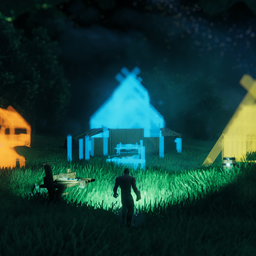

Homestead is a all-in-one construction mod for player-driven building tools and dedicated-server homestead maintenance.
It has the feature of blueprints, blueprint shop(trading), area save/dismantle, Adjustable dvergr circlet attached to buildcamera, placement helpers, inactive-player zone archiving, zone bundle restore and piece number limit per zone.

Homestead tab within vanilla hammer.
Area save to make a blueprint, Area dismantle to teardown the builds, blueprint shop to sell the blueprints

Use build camera and area save to make blueprints.

Place your blueprint and put according materials into blueprint chest and confirm it. (Stations are needed to)

Alt+click your blueprint and put it on the ground and put a price on your blueprint and list in on blueprint store

You can offer price for blueprints and get notifications for blueprints being enlisted and for offers being accepted/declined/suggested

Buy the blueprints and pay the price for it. And if you have sold your blueprints you can withdraw that from the store.
.

No more clicking all the pieces or using sledge hammer to teardown the build. You can use the tool area dismantle (Only dismantles what each player has built, respectively)

Build camera, dvergr circlet attached to build camera, dvergr circlet light adjustment, lock in pov (freefly feature), position adjustment

For server admins, you can archive the built zones that player has left automatically and spawn those zones too. (Just in cae they comeback)
Also you can limit the number of pieces that can be built within the zones.
Folder structure
BepInEx/config/Homestead/
  Blueprints/
  ServerBlueprints/
    PlanGhosts/
    Store/
  ZoneBundles/
  Diagnostics/
  activity.yml
  zones.yml
| Feature | What It Does |
|---|---|
| Homestead hammer tab | Adds Area Save, Area Dismantle, Blueprint Store, and saved blueprint entries through Jotunn. |
| Area Save | Selects a rectangular WearNTear area and saves it as a native Homestead blueprint. |
| Area Dismantle | Removes eligible WearNTear in a selected area and returns build materials. |
| Native blueprints | Lets players place a blueprint chest, deposit materials, preview ghost progress, and confirm the final build. |
| Blueprint Store | Lets players list, preview, buy, hide, delist, edit, offer on, and withdraw payouts for server-backed blueprint listings. |
| Zone bundles | Saves and loads one zone, a rectangular zone range, or a full non-rectangular archive shape. |
| Auto archive | Finds zones whose WearNTear creators are inactive, saves eligible clusters, and optionally resets the source zones. |
| Zone limits | Counts WearNTear per zone and can block over-limit building. |
| Placement controls | Adds position nudging, rotation step control, grid snap, key hints, and a unified placement HUD. |
| Build camera | Adds a configurable build camera with server-side restrictions and optional Dvergr light follow. |
| Zone UI | Shows the current zone number and ground boundary for client-side zone lookup. |
| Dvergr circlet | Adds per-item light toggle, range/intensity adjustment, usage-based durability drain, repair station config, and tooltip hints. |
Use Area Save from the Homestead hammer tab to save a selected group of WearNTear pieces.
Typical flow:
Area Save.Area Save follows the configured creator policy:
Recipe-less WearNTear prefabs are excluded from blueprints and zone bundles.
Use Area Dismantle from the Homestead hammer tab to remove eligible WearNTear and return materials.
Safety rules:
Saved Homestead blueprints appear in the Homestead hammer tab with generated snapshot icons.
Typical flow:
Blueprint terrain support is configurable. When enabled, Homestead can restore saved terrain contact cells so terrain touches the same supported parts of the build.
The Blueprint Store is a server-backed player marketplace for Homestead blueprints.
Players can:
Store chest types:
| Chest | Purpose |
|---|---|
| Price Barrel | Sets the listing price before publishing a blueprint. |
| Purchase Chest | Holds payment for a direct purchase or accepted offer. |
| Payout Chest | Holds seller payouts; it is receive-only and is cleaned up after the shared chest timeout once emptied. |
Server admins can choose whether Blueprint Store ownership, offer buyer permissions, and direct notifications are matched by Valheim playerID or by Steam/platform identity. PlayerID mode treats each character separately; SteamID mode treats characters on the same platform account as one store identity.
The client zone UI hotkey toggles:
This is useful when a returning player wants to tell an admin which empty zone should receive a restored archive.
Zone bundles save WearNTear, selected stable ZDO fields, tamed MonsterAI data, and terrain support contact data.
Saved archives are written to:
BepInEx/config/Homestead/ZoneBundles/{tag}/
Each archive folder contains:
manifest.ymlbundleNNN.zonebundle.yml file per saved source zoneTerrain mode is fixed to SupportFill. Homestead builds a terrain support plan before it overwrites the target zone. If saved terrain contacts are available, it uses the saved-contact strategy; otherwise it falls back to collider footprint sampling. If no usable support plan can be created, the load is aborted before the target zone is cleared.
Zone bundle manifests and per-zone bundle files include sourceZoneCreators, which lists WearNTear creators discovered in the original source zone. This is meant for admin review of mixed-owner archives and may include creators whose individual pieces were later skipped by recipe or support filters.
The auto archive scanner is designed for dedicated servers.
Typical flow:
activity.yml.sourceZoneCreators written into the manifest and per-zone bundle files for admin review.Archive protection can be configured in zones.yml by Steam ID, playerID, or player name.
For troubleshooting, hs_archive_debug_zone (x,z) writes a YAML report under Diagnostics/ explaining why one zone is or is not an auto archive candidate.
Most admin commands can be run from the dedicated server console, RCON, or an admin client with Homestead installed. Supported admin-client commands are routed to the server by Homestead RPC.
For more detail, see docs/Commands.md.
| Command | Syntax | Purpose |
|---|---|---|
| Save one zone | hs_savezone (x,z) tag |
Saves one source zone. |
| Save zone range | hs_savezone (x~x,z~z) tag |
Saves a rectangular source range. |
| Load one zone | hs_loadzone (x,z) tag to (x,z) [offset=Y] |
Loads one saved source zone to a target zone. |
| Load zone range | hs_loadzone (x~x,z~z) tag to (x,z) [offset=Y] |
Loads a saved rectangular range to a target anchor. |
| Load full archive | hs_loadarchive tag to (x,z) [offset=Y] |
Loads every zone in the archive manifest and preserves non-rectangular shapes. |
Notes:
to (x,z) is recommended on dedicated servers because there is no local player zone.offset=Y applies a vertical load offset.hs_loadarchive is the preferred command for auto archive folders and non-rectangular clusters.Examples:
hs_savezone (-21,-4) test_base
hs_loadzone (-21,-4) test_base to (10,3)

hs_savezone (-21~-20,-4) old_base
hs_loadzone (-21~-20,-4) old_base to (10,3)

hs_loadarchive auto_halla_c001 to (20,-3)
| Command | Syntax | Purpose |
|---|---|---|
| Run scan | `hs_archive_scan [dry | save |
| Status | hs_archive_status |
Shows scanner state, counts, schedule, and file paths. |
| Scan one Steam owner | `hs_archive_player steamID [dry | save |
| Recent runs | hs_archive_list |
Lists recent archive runs and cluster records. |
| Mark player seen | hs_archive_mark_seen playerID |
Updates one Valheim playerID as seen now. |
| Ignore player | `hs_archive_ignore_player playerID [on | off]` |
| Restore original zones | hs_archive_restore tag |
Loads an archive back to the original saved zones. |
| Schedule anchor | `hs_archive_schedule [status | now |
| Debug one zone | hs_archive_debug_zone (x,z) |
Writes a diagnostic YAML report for one zone's archive eligibility. |
Mode arguments:
dry: scan and report only.save: save matching archives but do not reset.reset: save matching archives and reset eligible source zones.Examples:
hs_archive_scan dry
hs_archive_scan save
hs_archive_scan reset

hs_archive_player 76561198000000000 dry
hs_archive_player steam:76561198000000000 reset

hs_archive_schedule status
hs_archive_schedule last 2026-05-02 15:00
hs_archive_schedule next 2026-05-03 03:00

hs_archive_debug_zone (-7,12)
| Command | Syntax | Purpose |
|---|---|---|
| Clear blueprint chests | hs_clearchests [dry] |
Deletes Homestead blueprint build/store chest ZDOs from the world. |
Use dry first to count matching chests without deleting them:
hs_clearchests dry
hs_clearchests
hs_savezone (-21,-4) test_base
hs_loadzone (-21,-4) test_base to (10,3)
hs_savezone (-21~-20,-4) old_base
hs_loadzone (-21~-20,-4) old_base to (10,3)
hs_archive_list
hs_loadarchive auto_halla_c001 to (20,-3)
hs_archive_scan dry
hs_archive_scan save
hs_archive_scan reset
Homestead is safest on a dedicated server because archive scans, ZDO inspection, file writes, and reset workflows need authoritative server state.
Normal clients do not run inactive-player archive/reset logic. Clients install Homestead for synced config, build tools, blueprint UI, store UI, key hints, zone UI, and Dvergr circlet features.
Build camera code from
https://github.com/AzumattDev/BuildCameraCustomHammersEdition
The mods code
https://github.com/sighsorry1029/Homestead